Changelog

Stay up to date with the latest updates, features, and improvements to Privy.

Subscribe via RSS

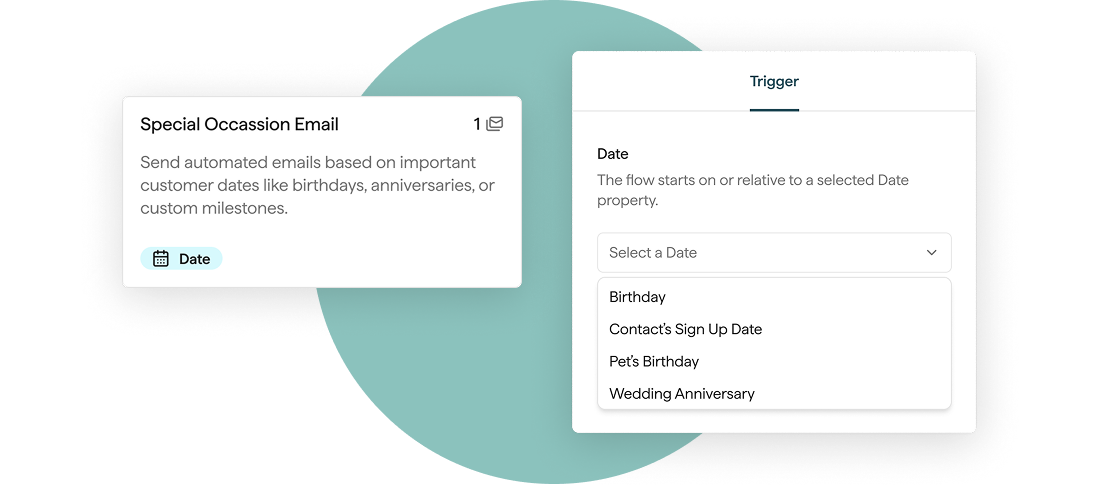
Special Occasion Flows

Trigger a Flow from any date field on a contact, like birthdays, renewals, or any custom date you collect. Automate messages around the dates your customers care about.

  • Send before, on, or after the date
  • Works with any date field collected via your Displays, including custom fields
  • Layer with Segment filters for more targeted sends

Learn More

Special occasion flows in-product mockup

Segment by Days Since Last Order, First Order, or Last Visit

The Segment builder now supports an "in the last" operator on order and visit date filters.

  • Build re-engagement audiences like "visited store in the last 60 days"
  • Build winback audiences like "did not order in the last 90 days"
  • Segments refresh automatically as the rolling window advances

Suppress Contacts

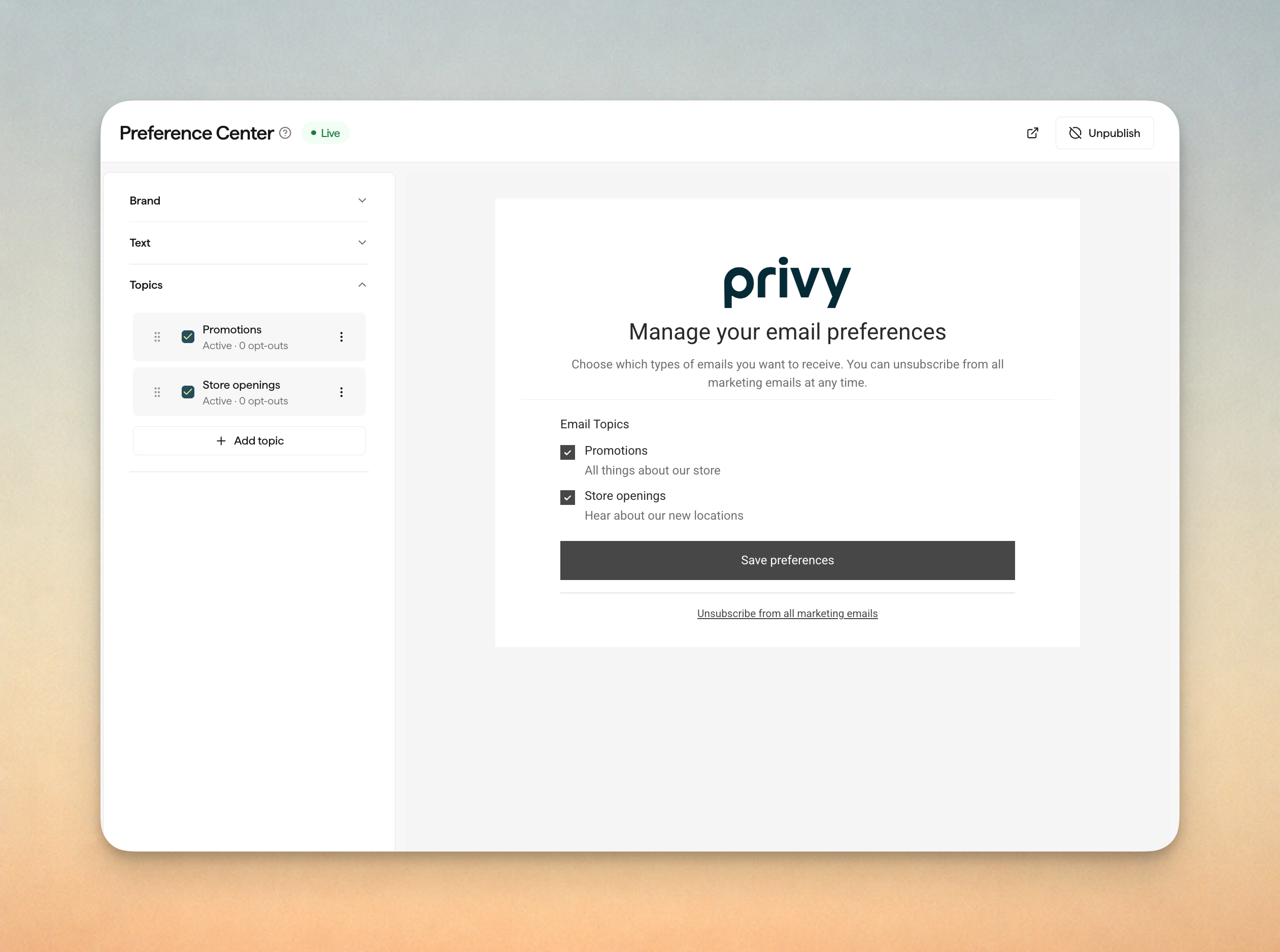
You can now mark contacts as suppressed. Suppressed contacts stay on your list but are excluded from all email sends and do not count toward your mailable contacts for billing purposes.

  • Bulk suppress or unsuppress contacts from the Contacts list
  • Filter the Contacts list by suppression status
  • Suppressed contacts remain automatically do not receive emails

Useful for pausing sends to segments you're investigating or temporarily removing certain contact a source of complaints, without having to unsubscribe and re-import.

Start from Scratch Flow

You can now build a Flow without starting from a template.

  • Pick any trigger and build from a blank canvas
  • Save as a draft while you work; nothing sends until you publish
  • Reuse existing email templates in fully custom journeys

Build automated sends for cases that don't fit a standard template.

Junip Integration

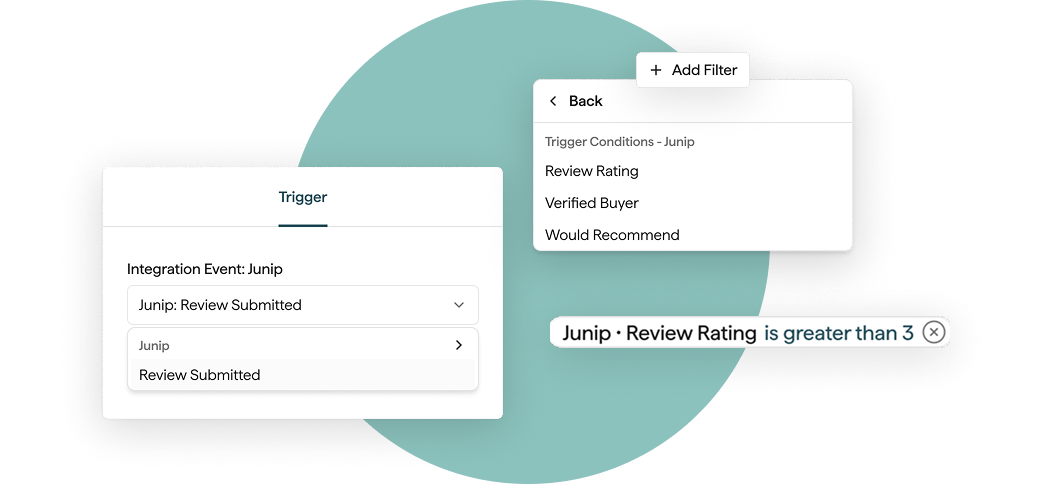
Connect your Junip account to pull product reviews directly into Privy. Once connected, review data syncs to every matching contact and becomes available across Flows, Segments, and email content.

  • Store review counts, ratings, and recency as contact properties
  • Segment customers by review activity or star rating
  • Trigger Flows when a contact leaves a new review or updates an existing one
  • Pull review snippets into emails with merge tags

Learn More

Product mockups for Junip integration

Tag Contact Flow Action

A new Flow action adds or removes Privy tags on a contact as they move through a journey.

  • Apply or remove tags at any step in a Flow
  • Create new tags inline without leaving the builder
  • Use tagged contacts as entry criteria for other Flows and Segments

Automate tag management across journeys instead of maintaining it by hand.

Learn More

Rivo Integration + Real Link for SMS

Connect your Rivo account to pull loyalty data directly into Privy. Once connected, loyalty customers sync automatically and their data becomes available across Flows, Segments, and email content.

  • Sync loyalty customers with points balance, VIP tier, credits, and referral URLs
  • Segment by loyalty status or points
  • Trigger Flows from loyalty events, with Split node support
  • Use loyalty merge tags in emails and SMS

Learn More

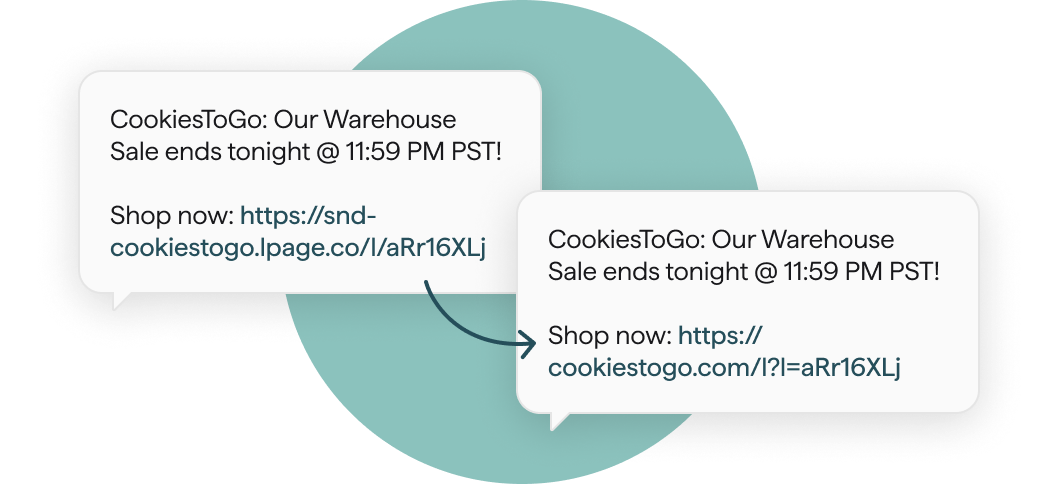
SMS short links now resolve on your store's real custom domain instead of a generic Privy redirect host.

  • Configure once in Settings; all outbound SMS links use it from then on
  • Preserves domain trust and improves click-through rates
Product mock up showing impact of branded domain links vs generic link URL tracking

Dynamic Products in SMS

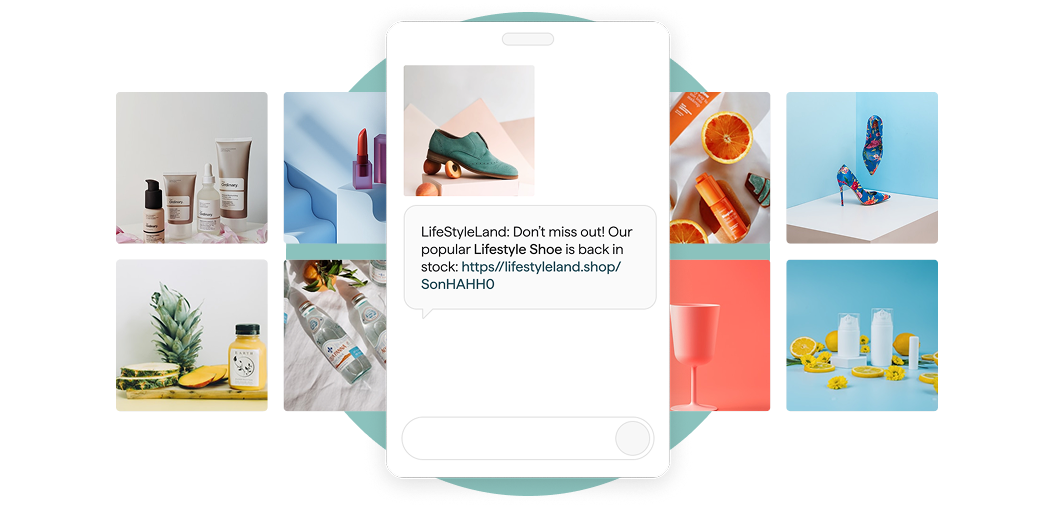
SMS now has the same dynamic product experience as email. Pull product and variant data into SMS copy and attach product images as MMS.

  • Same Liquid variables across Email and SMS (title, price, variant, image URL)
  • Attach live product images to SMS actions in Flows: abandoned cart, back in stock, recently viewed
  • A new Recently Added dynamic product query is available in blocks, with time period and collection filters
Product mockup showcasing dynamic images in SMS flows and campaigns

Back-in-Stock Flows and Rich Contact Data

Out-of-stock doesn't have to mean a lost sale. When inventory returns, you can now set up a Flow to automatically text or email the customers who asked to be notified.

  • Add the Back-in-Stock sign-up form on any product page
  • Leverage our out-of-the-box templates to trigger your Flow on product restock events, with product-aware dynamic blocks
  • Works with both online store and physical retail location inventory

Learn More

Yotpo Integration

Bring your Yotpo loyalty data into Privy for richer segmentation and Flows.

  • Automatic import of customers, points balance, and VIP tier
  • Flow triggers for Yotpo events like points earned or tier changes
  • Yotpo properties available as merge tags in email and SMS
  • New integrations page and Yotpo-specific flow template
  • One-click contact import from Yotpo to backfill your audience

New Flow Templates

We rolled out several new templates for you to get started with:

  • Subscriber Conversion Series
  • Cart Abandonment (New vs. Returning Customer)
  • Cart Abandonment (High vs. Low Value Cart)
  • Browse Abandonment (New vs. Returning Customer)
  • Customer Winback SMS
  • Purchase Follow-Up SMS

Visit Flow Templates to get started.

New Flow Template Page

New Flow Template Experience

Browsing, previewing, and launching templates is faster and a lot more visual.

  • Redesigned template library
  • Preview any flow before committing to create it

Editable Product Blocks

No more leaving the editor to tweak a product. Override the title, price, or URL of any static product block and the change lives only inside that email.

  • Works across Flows and Campaigns
  • Your underlying catalog stays untouched

Low SMS Credit Alerts

Get an email when your SMS credit balance is running low, before a send fails.

Product Picker Improvements

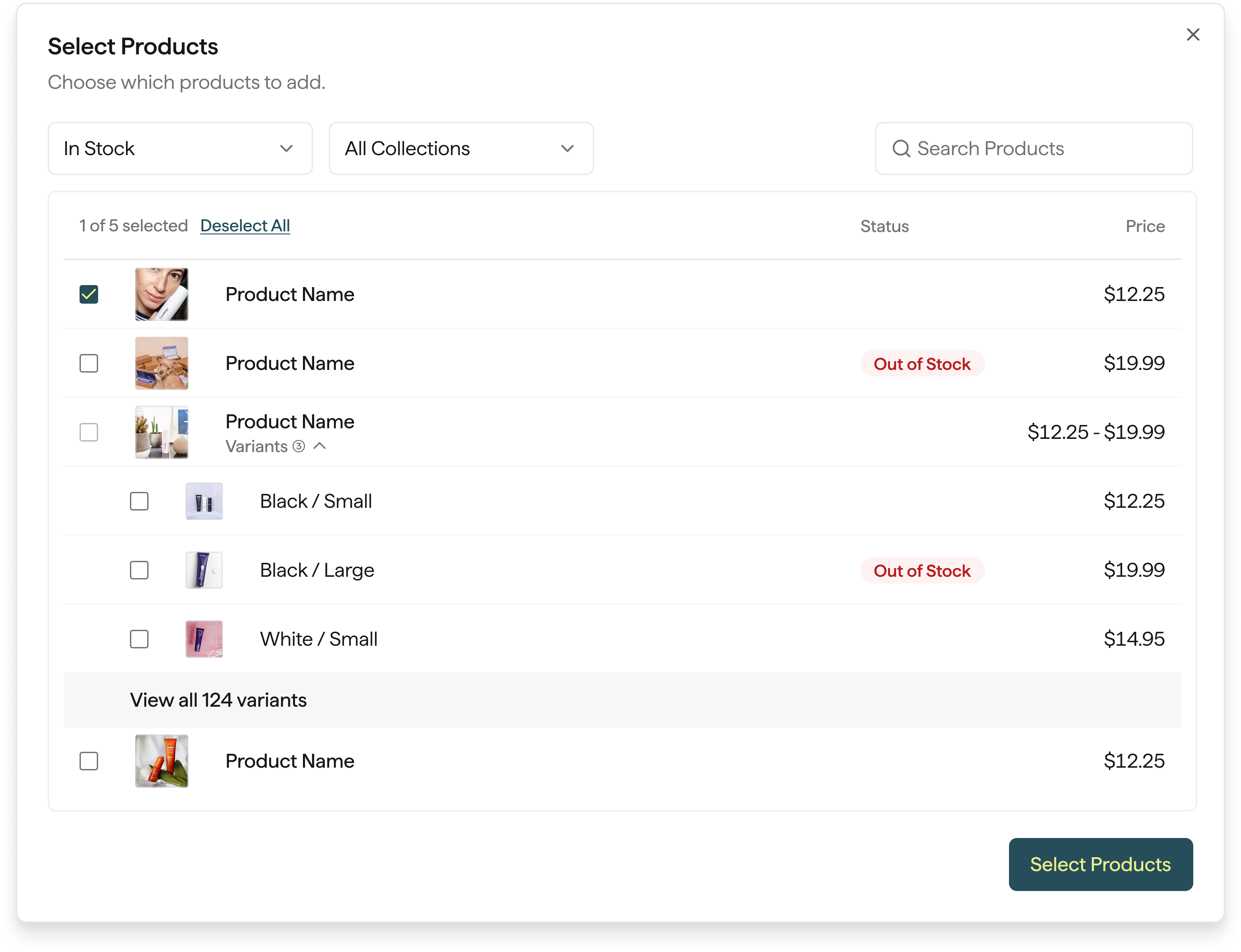
Select the main product row and search products by SKU to build emails and flows faster.

A Rebuilt Product Picker, Smarter Splits, and Saved Blocks

We rebuilt the Product Picker. Adding Shopify products to emails and Flows is faster and a lot more intuitive.

  • Live search that filters products as you type
  • Shows up to 10 products at once
  • Multi-select with per-variant control
Product mock up for new product picker

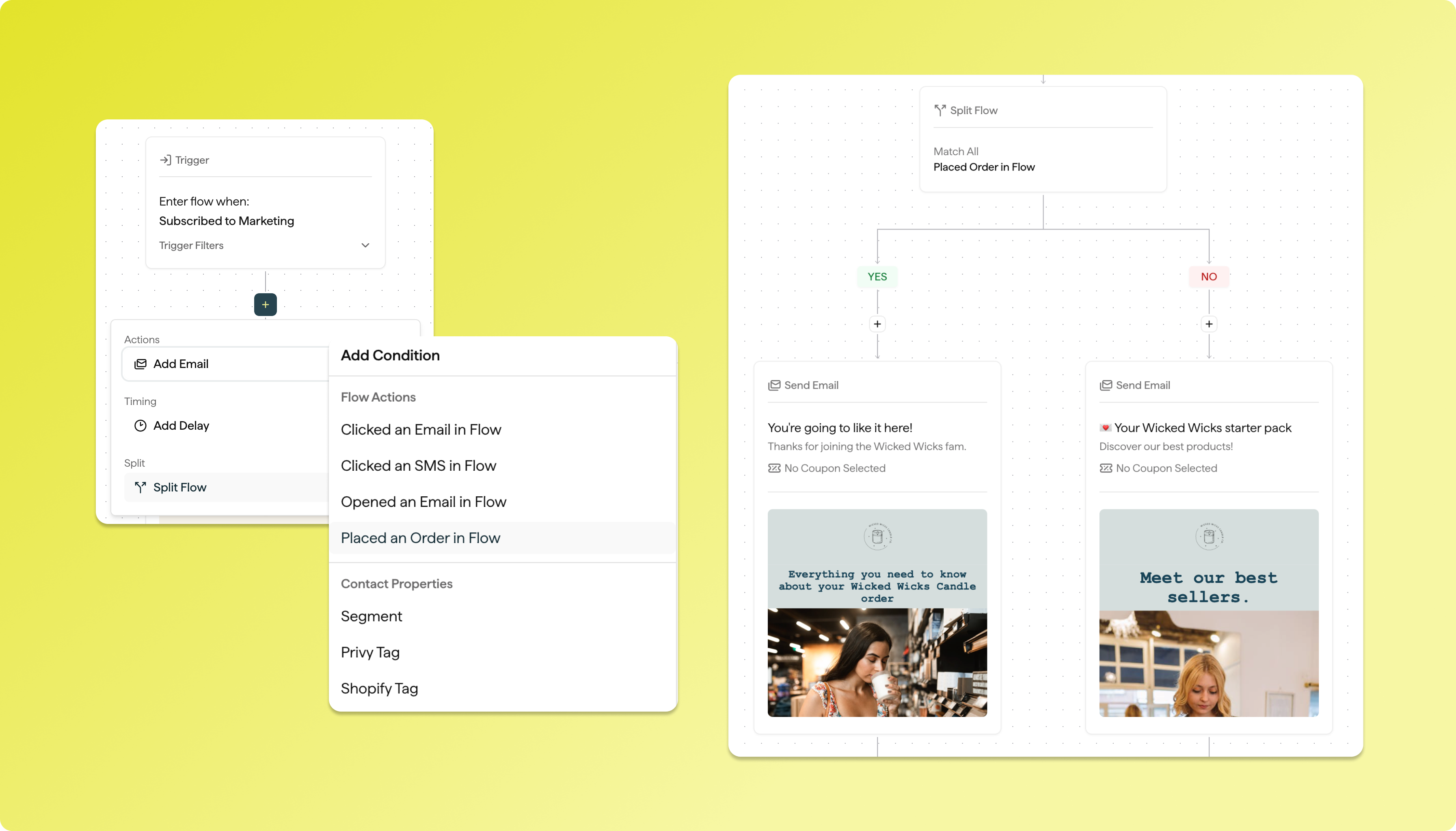
New Powerful Split Conditions in Flows

Branch Flows on a wider set of customer and behavioral signals, so the right message goes to the right person automatically.

  • Order Count
  • Lifetime Spend
  • Account Created Date
  • Custom Fields
  • Country
  • SMS Delivery Properties

Saved Blocks in the Email Editor

Design once, reuse everywhere. Build a block in one email, save it, then drag it into any other email you create.

  • Ideal for headers, footers, promos, and common CTAs
  • Reuse across emails without rebuilding layouts
  • Stay on-brand while moving faster

Yotpo Loyalty, Smarter Product Blocks, and Finer Design Controls

Connect Yotpo directly from the Integrations page and keep loyalty data in sync with Privy.

  • Syncs points balance, points earned, total spend, total purchases, perks redeemed, VIP tier, and more
  • Segment by loyalty status, engagement, or spend for more relevant campaigns
  • Spot high-value members, at-risk customers, and upcoming point expirations for targeted outreach

New Product Block

The new Product Block is out of beta and available to all merchants.

  • Fully responsive layouts across Gmail, mobile, and other major clients
  • Smoother slider UI for browsing more products in a single block
  • Fixes for multi-product migration and variant search edge cases
  • More predictable rendering across email clients, with finer control over each product's look

Flow UX Improvements, Smarter Splits, and Retroactive Audiences

Rearrange or clone steps inside a draft Flow by dragging them where you want. Building and reorganizing automations is faster and a lot more intuitive.

Smarter Flow Splits

Branch Flows on the signals that matter most.

  • Split on specific email or SMS events
  • New Split Flow filters for more precise conditional logic
  • Improved coupon handling inside Flow branches

Retroactively Add Contacts to Flows

Eligible contacts can now be added to an automation after it's already running, so qualifying audiences don't miss important messages.

Privy + Emotive Release Notes

We’ve launched several major improvements to help you send faster, convert more shoppers, and manage your marketing with ease — just in time for peak holiday growth.

Faster Broadcast Sends (up to 50% faster!)

We’ve supercharged our broadcast delivery system:

  • Messages now start sending almost instantly
  • Up to 50% faster timezone-based sends for large lists
  • Better reliability and performance during high-volume campaigns

This means your audience hears from you exactly when it matters most — and you see results faster.

Email + SMS Together in One Flow

Now you can build email and SMS in the same automation:

  • Create seamless customer journeys
  • Boost engagement with the right channel at the right time
  • Improve conversion rates with unified messaging

This is now live and available in every account — jump in and try it!

Enhanced Subscriber Profiles

You can now view Profile Properties directly inside a subscriber’s profile:

  • See purchase and engagement details at a glance
  • Better understand your customers
  • Build stronger, more personalized campaigns

Smarter insights = better marketing decisions.

New SamCart Integration

We’ve expanded our commerce compatibility!
Emotive now integrates with SamCart, unlocking:

  • New store types we can help convert and automate
  • Better lifecycle marketing for SamCart-powered brands

Rolling out wider access soon

Improved Tools for Growth

Behind the scenes, we’ve made upgrades that make Privy + Emotive:

  • More stable
  • More scalable
  • Faster across the board

You get better performance — especially during busy sending periods like BFCM.

Privy + Emotive Release Notes

What’s New

  • Email + SMS are now in the same flow!
  • Flow Reporting in Flow Editor — now you can access detailed attribution stats and and behavior stats directly in your editor.

Improvements

  • Color-coded icons in the Flow Editor make it easier to see what’s happening when you zoom out.
  • Split flow lines now use distinct colors for “Yes” and “No” branches, improving clarity at a glance.
  • You can now see what percentage of customers take each branch in a split path.
  • The Flows index reporting table now displays email and SMS breakdowns on hover for quicker insight.
  • Added new toggles to easily turn flow node stats and node previews on or off.

Bug Fixes

Flows

  • We fixed an issue where coupons didn’t sync properly across nodes.
  • We corrected the email preview alignment when users are zooming out in Flow Editor.
  • We fixed issue causing incorrect email data when nodes did not have campaigns.
  • We corrected open rate inaccuracies for Flow Email Campaigns.

Dashboard

  • Fixed a performance issue causing slower load times in isolated incidents.

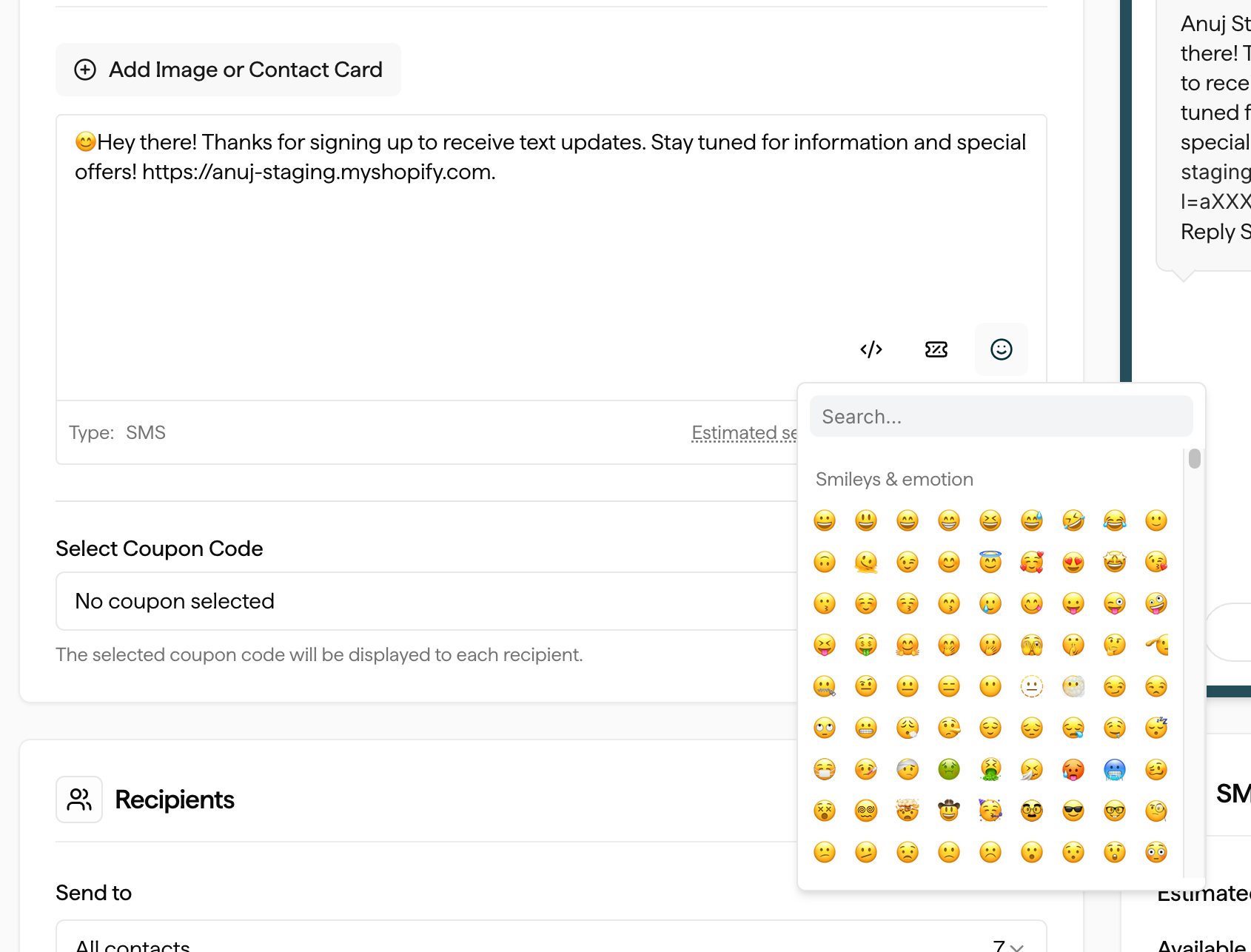
Emoji Pickers in SMS Editors

Merchants can now easily add emojis to their SMS campaigns and flows. A new emoji icon button has been added just below the SMS editor. Clicking it opens a popup selector where merchants can browse and insert emojis directly into their message text.

split flow

Impact

  • Flow SMS Nodes – add emojis to automated flow messages for more personalized customer engagement.
  • SMS Campaigns – enrich campaign messaging with emojis to drive higher attention and engagement rates.

Access

Available to all merchants immediately—no setup required.

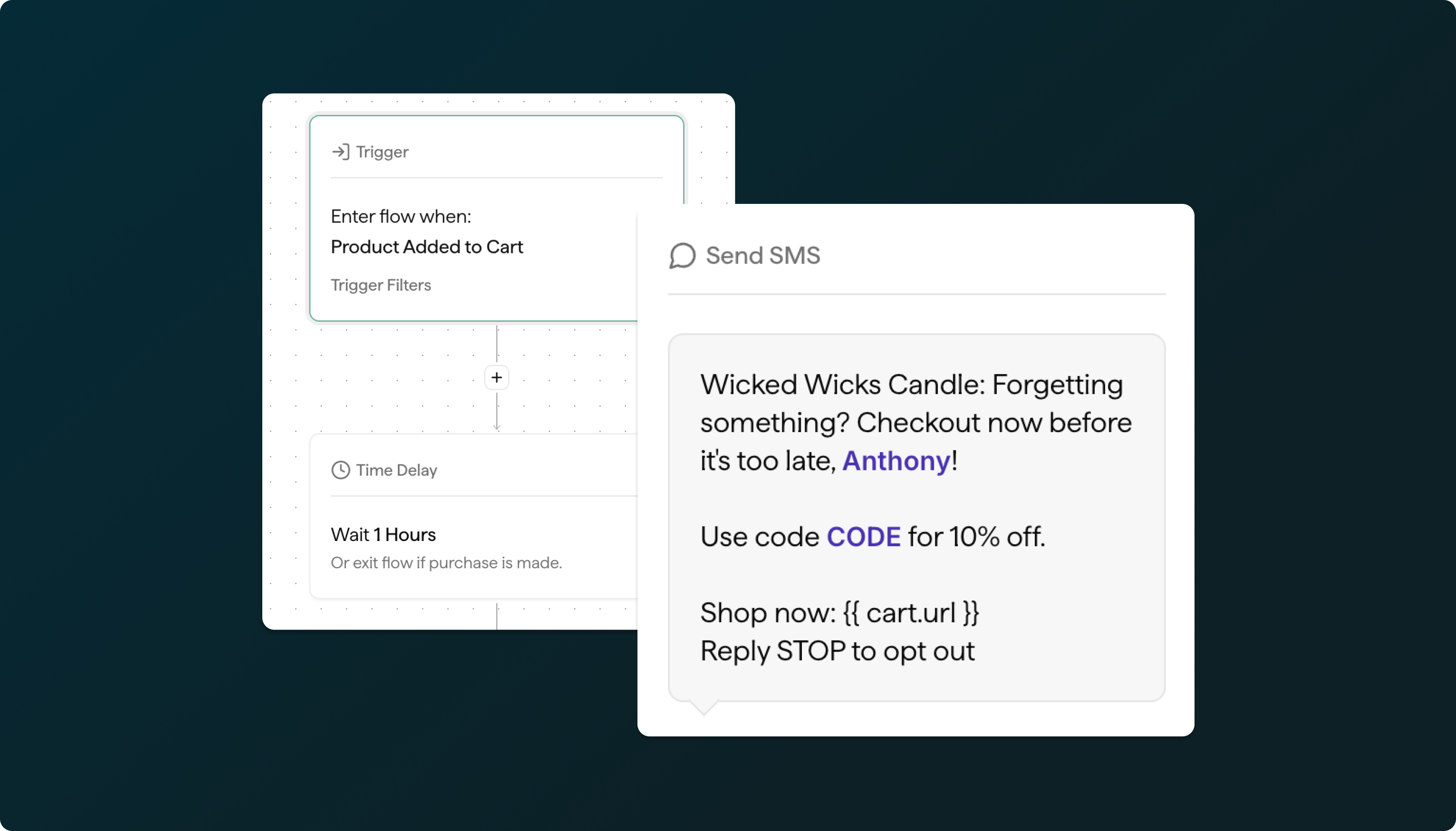
New: Abandoned Cart SMS Flows

sms flows

Enjoy the same powerful personalization you get with our new email Flows — now extended to Abandoned Cart text messages.

Launch your Abandoned Cart SMS Flow today.

Here is some of the key functionality:


Quiet Hours Management: When a customer enters the flow during quiet hours, the SMS will be automatically paused and delivered during the next active period for that customer's timezone.

SMS Credits: If a merchant runs out of SMS credits, the flow remains active but text messages will not be sent until credits are replenished.

Full SMS Campaign Features: The SMS node includes all features available in SMS Campaigns, including:

  • Image attachments
  • vCard integration
  • Liquid variables support

For more details, view the Help Center article here.

New Split Flow Filters

filters

Now, beyond just Segments + Tags, you can split your automated Flows based on whether a contact has purchased, opened, or clicked messages within the Flow.

Build your Split Flow today! Add link.

Smart Triggers for Popups & Banners

Merchants can use advanced targeting rules to fine-tune when and where on-site messages appear. With Smart Triggers, you can combine conditions like exit intent, scroll depth, referring URLs, UTM parameters, and specific page views to deliver the right message to the right visitor at the perfect moment.

New Flows

Privy Flows is a new visual marketing automation platform that replaces the previous Privy Automations tool. Designed specifically for ecommerce use cases, Privy Flows allows merchants to trigger emails and SMSbased on customer actions such as signups, cart abandonment, purchases, fulfillment and more. Some of the highlights include:

  • A new intuitive, visual Flows experience that lets you connect triggers, delays, conditions, and messages into seamless, automated customer journeys.
  • Combine Email and SMS messages in the same Flow for truly personalized omnichannel marketing
  • Trigger Filters give you precise control over who enters a Flow, using conditions like segment membership, sign-up source, tags, purchase history, and more
  • Flows support conditional splits based on actions and properties like clicks, opens, opt-in method and source, segments, tags, and cart or product activity.
  • Deep ecommerce integrations let you tap into product catalogs, order history, and on-site engagement